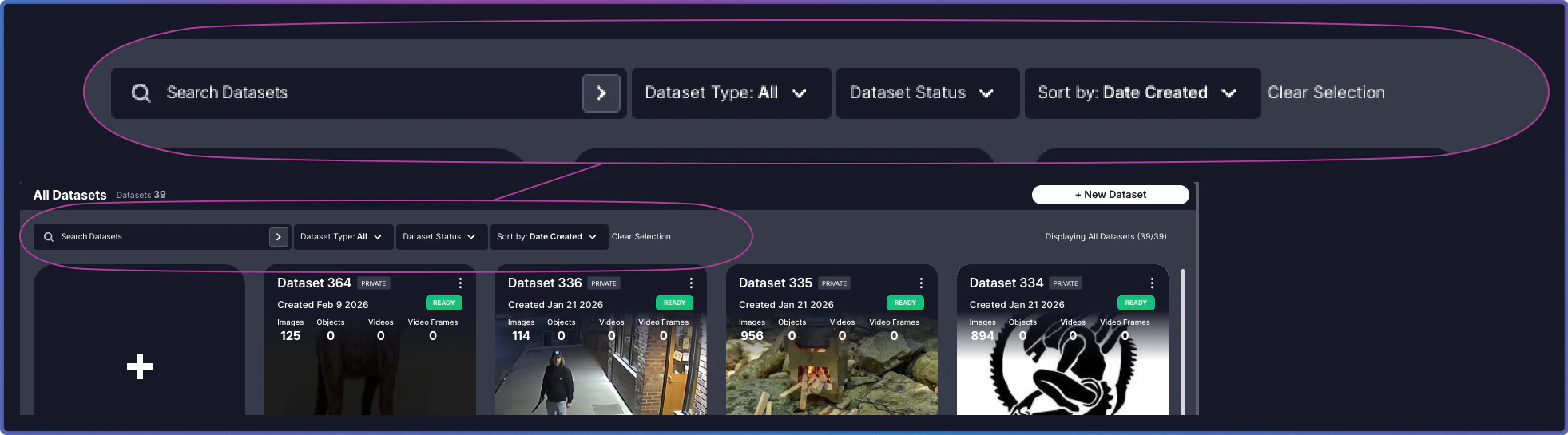
The Main Panel at the top of the page provides tools to quickly locate and organize your datasets.Documentation Index
Fetch the complete documentation index at: https://visual-layer-my-changes.mintlify.app/llms.txt
Use this file to discover all available pages before exploring further.

Controls
Search and filters work together to help you locate datasets. Combine them to narrow results, or clear them to expand your view.| Control | Purpose | Usage |
|---|---|---|
| Search | Find datasets by name | Type a full or partial dataset name. Search is case-insensitive. For example, “product” matches “Product Images 2024” and “production-test-batch”. |
| Filter | Filter datasets by Dataset Status or Dataset Type | Select Dataset Status to filter by processing state, or Dataset Type to filter by Private or Public. |
| Sort By | Arrange datasets by creation date, status, or name | Choose sorting criteria and order (ascending/descending). |
| Clear Selection | Reset all applied controls and return to the full dataset view | Click to remove all active search terms and filters. |
Related Resources
About the Dataset Inventory
Overview of the Dataset Inventory interface
Dataset Cards Grid
Explore dataset cards, status indicators, and actions